
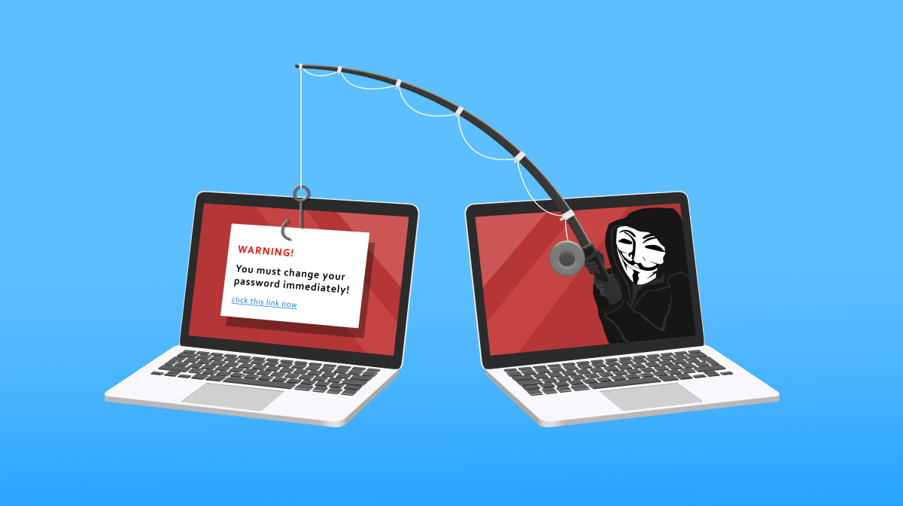
How to Spot a Scam Email When It Looks Real
For years, the advice for identifying a phishing email was simple: look for bad spelling, awkward grammar, and obvious mistakes.
That advice used to work. Today, it is no longer enough.
Scammers now use artificial intelligence to write phishing emails that are polished, professional, and personalized. The messages in your inbox may look just as convincing as an email from a trusted supplier, bank, coworker, or client. They can use real names, mention current projects, and create a believable reason for you to respond quickly.
That means your employees need a new way to recognize phishing attempts. Instead of focusing only on how an email is written, focus on what it is asking you to do.
Why the Old Phishing Advice No Longer Works
Spelling and grammar mistakes were once common signs of phishing because many scam emails were poorly translated or written by attackers unfamiliar with the language.
AI has changed that.
Cybercriminals can now generate clean, natural-sounding emails in seconds. They can choose a professional tone, match the language of a legitimate business, and remove the obvious errors employees were trained to spot.
A message can have perfect spelling, proper punctuation, and a familiar tone while still being a scam.
For businesses, this shift makes cybersecurity awareness training more important than ever. Employees need to understand that polished writing is not proof that an email is safe.
Why AI Phishing Emails Are So Convincing
AI helps attackers make phishing messages more believable in several ways.
The writing sounds professional
A scam email can now read like a normal message from a vendor, client, executive, or financial institution. Attackers can create clear, well-written requests without the awkward language that once made phishing easier to identify.
The message can feel personal
Scammers can use public information from company websites, LinkedIn profiles, social media posts, job listings, press releases, and other online sources.
With just a few details, they can create messages that reference:
Your company name
A real vendor or client
An employee’s job title
A current project
A recent announcement
A believable payment or account request
For example, someone on your finance team might receive an email that appears to come from a real supplier. It may mention a current project and ask to update banking information before the next invoice is paid.
The message may look completely normal. The problem is that the supplier never sent it.
Attackers can send more messages
AI allows scammers to create convincing phishing emails faster. Instead of writing one generic message at a time, they can create many variations tailored to different businesses, departments, and employees.
This increases the likelihood that someone receives a message that feels relevant enough to trust.
Your Email Security Filter Cannot Catch Everything
Email filtering, spam protection, and cybersecurity tools are essential. They can block many malicious links, suspicious attachments, and known threats before they reach your inbox.
However, no email security platform can catch every scam.
A well-written message that asks a normal-sounding question may not contain a dangerous attachment or an obvious malicious link. It may simply ask an employee to send payment, update bank details, share a verification code, or provide access to an account.
That is why businesses need a layered cybersecurity strategy that includes email security, secure cloud configurations, multi-factor authentication, employee awareness training, and clear verification procedures.
Your technology can reduce risk, but your team is still an important part of your defense.
AI Scams Are Not Limited to Email
AI-powered fraud is also affecting phone calls, text messages, and voicemails.
Scammers can use short audio clips from videos, interviews, webinars, or social media posts to imitate a person’s voice. An employee may receive a voicemail that sounds like their manager, a vendor, or a company executive asking for an urgent payment or confidential information.
The safest response is not to trust the voice alone.
If a phone call, voicemail, or text asks for money, login details, or sensitive information, end the conversation and verify the request another way. Call the person back using a phone number you already know and trust. Do not use a number provided in the suspicious message.
Warning Signs That Still Matter
You may not be able to rely on spelling or grammar anymore, but the request itself can still reveal a scam.
Teach your employees to slow down when an email:
Requests payment, gift cards, cryptocurrency, or an urgent wire transfer
Asks to change a supplier’s banking information
Requests a password, login, verification code, or multi-factor authentication approval
Demands confidential client, employee, financial, or business information
Creates urgency by using deadlines, threats, or pressure
Includes a link or attachment that was not expected
Uses a familiar sender name but an unusual email address
Asks someone to bypass normal approval procedures
Claims to be from leadership but asks for unusual secrecy
The strongest warning signs are about what the sender wants you to do, not whether the message contains a typo.
When an email involves money, credentials, payment details, or sensitive data, your team should pause before taking action.
How to Protect Your Business From AI Phishing
A stronger defense does not require employees to become cybersecurity experts. It requires simple, repeatable processes that make it harder for attackers to succeed.
1. Verify payment and account requests another way
If an email asks to update bank details, send money, change payment instructions, or provide sensitive information, verify it independently.
Call the vendor, client, or employee using a known phone number. Do not reply directly to the suspicious email, click its links, or call a phone number included in the message.
This one step can prevent many business email compromise and payment fraud incidents.
2. Update your phishing awareness training
Stop teaching employees that bad spelling is the main sign of a scam.
Instead, train them to recognize suspicious requests involving:
Money
Login credentials
Verification codes
Vendor banking changes
Urgent deadlines
Confidential business or customer information
Use realistic examples that reflect the kinds of emails your team receives every day. A short, practical conversation is often more effective than a long policy document that no one reads.
3. Create a strict policy for payment changes
Every business should have a clear process for changing vendor payment information.
For example, require employees to confirm every bank account change by phone using a verified contact number. Make this rule apply even when the request appears urgent or comes from a familiar name.
A consistent process helps employees avoid making a judgment call under pressure.
4. Use phishing-resistant MFA and passkeys
Multi-factor authentication remains one of the most effective ways to protect company accounts. However, basic MFA methods can still be targeted through phishing and social engineering.
Phishing-resistant MFA options, including passkeys, FIDO2 security keys, and Windows Hello for Business, make it more difficult for attackers to use stolen passwords or captured credentials.
A managed IT provider can help your business review account security, improve identity protection, and strengthen access controls across Microsoft 365, cloud applications, and other critical business systems.
5. Make suspicious messages easy to report
Employees should know exactly what to do when something feels off.
Create an easy reporting process for suspicious emails, texts, phone calls, and login prompts. Encourage employees to ask questions without worrying that they will look inexperienced or overly cautious.
It is always better to verify a legitimate request than to respond to a fraudulent one.
6. Reinforce cybersecurity awareness regularly
Cybersecurity awareness should not be a once-a-year checkbox. AI threats, phishing tactics, and impersonation scams continue to evolve.
Use regular reminders, short training sessions, and real-world examples to keep security top of mind. The goal is to build a culture where employees feel comfortable pausing, checking, and reporting suspicious activity.
Protect Your Team From More Convincing Scams
AI has made phishing emails harder to spot because they can now look polished, personal, and legitimate. The old warning signs are no longer enough on their own.
The new rule is simple: when an email asks for money, login information, payment changes, or sensitive data, slow down and verify the request before acting.
Strong email security, employee training, phishing-resistant MFA, and reliable verification processes can help protect your business from AI-powered scams, account compromise, financial loss, and data breaches.
Our team helps businesses strengthen cybersecurity through managed IT services, cloud security, Microsoft 365 protection, and employee awareness training. Contact us today to build a safer, more resilient business technology environment.
Article used with permission from The Technology Press.
For more tips and tech info, follow us on LinkedIn and Instagram.
Inspired by insights from The Technology Press.